
Prompt Nano Banana like a creative director
Google stress-tested its own image models for weeks and published what it learned. Here is the working version: the specs that matter, the five frameworks, and the layer that has to sit around the prompt before anything ships.
The distance between a good AI image and a usable brand asset was never really about the model. It is about the instruction. Google’s prompting guide for the Nano Banana family, published this March, came out of weeks of internal testing against Nano Banana 2 and Nano Banana Pro, and the honest headline is that these models now do what you tell them. Which moves the failure point. Vague direction is the bottleneck now, not the render.
We run both models on client work every week, on beauty, automotive, consumer tech and retail. So this guide takes Google’s frameworks and adds the part a production floor cares about: what holds up at volume, and what has to be built around the prompt before an asset goes anywhere near a channel.
The two models, at a glance
Both models sit on the Gemini 3 family and reason through a prompt before they generate. They are not interchangeable, and picking the wrong one is the cheapest mistake to avoid.
| Spec | Nano Banana 2 (Gemini 3.1 Flash Image) | Nano Banana Pro (Gemini 3 Pro Image) |
|---|---|---|
| Input context | 131,072 tokens | 65,536 tokens |
| Output | 32,768 tokens | 32,768 tokens |
| Resolutions | 0.5K, 1K, 2K, 4K | 1K, 2K, 4K |
| Aspect ratios | Ten standard, plus 1:4, 4:1, 1:8, 8:1 | Ten standard ratios |
| Reference images | Up to 14 | Up to 14 |
| Live web data | Yes | Yes |
| Provenance | C2PA plus SynthID | C2PA plus SynthID |
Both models accept as many as 14 reference object images inside one prompt, and every image they hand back carries C2PA Content Credentials and a SynthID watermark. Source: Google Cloud, March 2026.
The extra aspect ratios on Nano Banana 2 are more useful than they sound. A 1:8 or 8:1 frame is a banner, a marketplace strip, a header. Those are the formats that usually get cropped out of a hero image and lose their composition on the way.
Model knowledge stops in January 2025. Anything newer has to arrive through web search or through your own reference images. Source: Google Cloud, March 2026.
Four rules that come before any framework
Google’s own list is short, and it holds up in production.
- Be specific. Name the subject, the light, the composition. Anything you leave blank, the model fills in for you.
- Frame it positively. Ask for an empty street rather than a street with no cars. Negation is the single most common reason a prompt returns the thing you were trying to remove.
- Control the camera. Photographic and cinematic vocabulary works: low angle, aerial view, medium-full shot.
- Iterate in conversation. Refine the frame you have instead of starting a fresh one.
One more, and it does more work than it looks like: open the prompt with a strong verb that names the operation. Generate. Edit. Restyle. Upscale. Translate. The model reads that first word as the job, and the rest of the prompt as the brief.
Framework 1: generation
Starting from nothing, you are directing. A keyword list won’t get you there. Describe the scene as a scene.
Formula: subject, action, location or context, composition, style.
An example in our register:
Prompt example
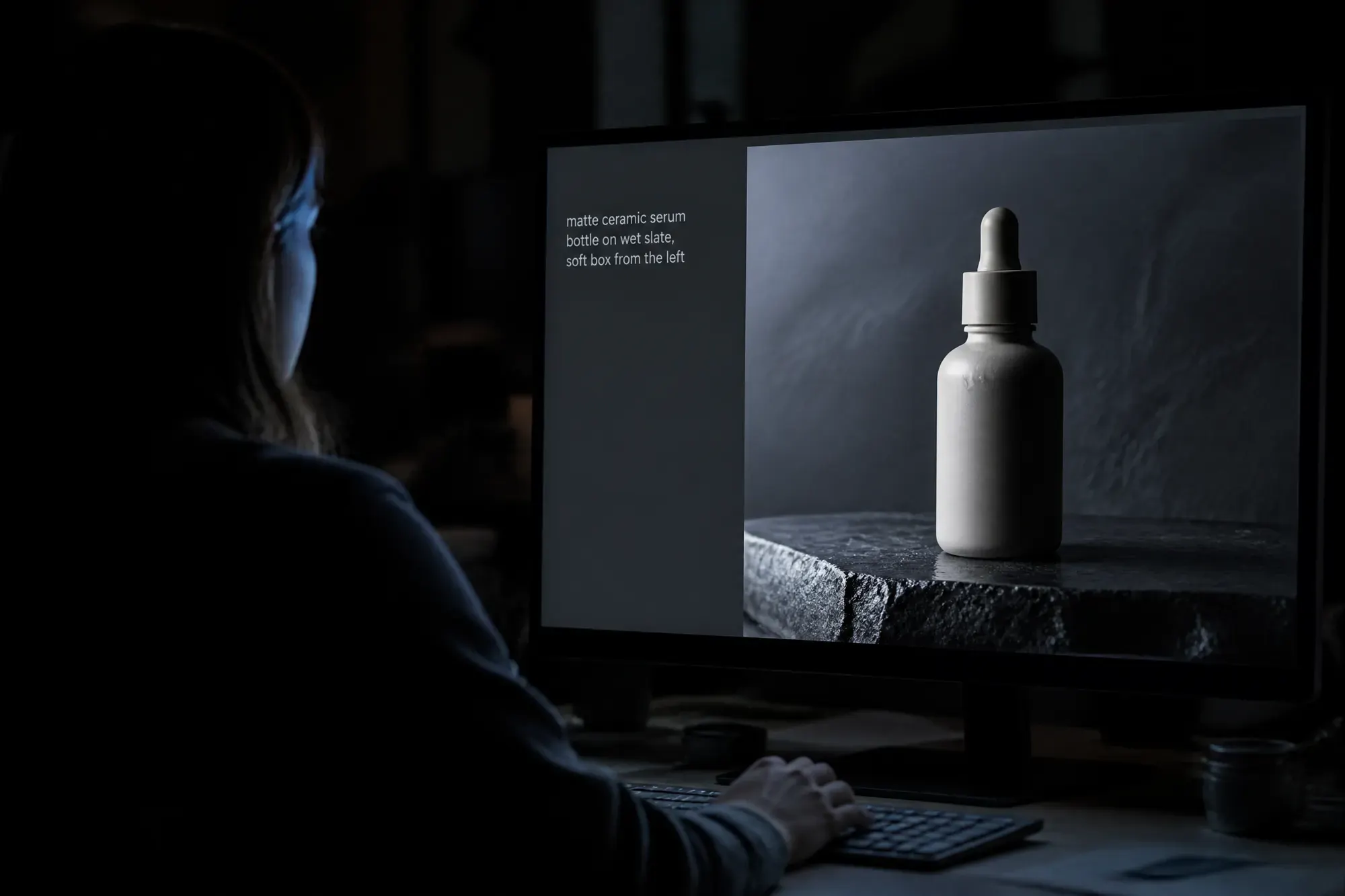
A ceramic serum bottle with a matte oyster-white finish. Standing upright, label facing camera, a single drop caught on the shoulder of the bottle. On a wet slate ledge, water pooling underneath. Tight product shot, centered, shot slightly above eye line. Clinical beauty editorial, soft box from the left, shallow depth of field.
Each clause does a specific job. Delete the composition clause and the model picks its own crop. Delete the style clause and you get a competent render with no point of view.
With references, the shape changes: reference images, then a relationship instruction, then the new scenario. This is the one that matters for brand work, because it is how a real product, a real face, or a real fabric stays consistent across a set. Fourteen references is a lot of room. A pack shot, three angles of the same SKU, a fabric swatch, a color card, and a lighting reference all fit in one call.
Framework 2: editing
Editing needs a different head than generating. You already have the frame. The prompt is now about what changes and, just as much, what does not.
- Semantic masking. You define the mask in words instead of drawing it. "Remove the folding chair on the left" is a mask.
- Say what stays. Be blunt about it. Keep the product, the label, the lighting and the crop exactly as they are. That’s the line that protects you from a model that helpfully improves something nobody asked it to touch.
- Style transfer with a reference. Feed a base image and an object image and tell the model to combine them, or hand it a photograph and ask for the same content rendered in another visual language.
In practice the second bullet is where the QA time goes. The failed edits in our queue are rarely bad renders, they are correct renders of an instruction that never said what to protect.
Framework 3: images built on live data
The models can pull from web search and generate against what they find. That is a different prompt shape: you are not describing a fictional scene anymore, you are asking for a retrieval, an interpretation, and then a visual.
Formula: the search or source request, the analytical task, the visual translation.
Ask it to check today’s conditions in a city, decide how that changes the scene, then render the result inside a defined visual concept. Weather-reactive social, live pricing tiles, seasonal storefront variants: all of it becomes a template you run rather than a brief you rewrite. Google has flagged that the live-search capability is still landing on Vertex AI, so confirm it in the environment you are actually shipping from before you build a calendar on it.
Framework 4: text and localization
Broken typography was the last obvious tell in AI imagery. It is mostly solved, and there are four rules that decide whether you get clean type or mush.
- Put the exact words in quotes. Anything unquoted is a suggestion.
- Name the typography. A heavy blocky sans, a thin geometric face, a specific font by name and size.
- Specify the target language. Write the prompt in one language, ask for the output text in another. Support runs past ten languages.
- Write the copy first. Have a conversation to settle the wording, then ask for the image carrying that wording. Doing both in a single shot is where it degrades.
This is the framework that changes the economics of multi-market work, and it is the one we lean on hardest out of our China floor. A single master visual becomes a RedNote carousel, a Douyin cover, a WeChat article header and a Tmall tile, each with native type in the right character set, without a separate design pass per platform. Do keep a native speaker on the approval step. The model renders Chinese characters correctly far more often than it used to, but line breaks, honorifics and the tone of a short headline are still human calls.
Framework 5: direct it, don’t describe it
This is the framework that separates a decent render from something that looks art-directed. Four levers, and they stack.
| Lever | What you specify | Example direction |
|---|---|---|
| Lighting | The setup, not the mood word | Three-point softbox, even fill on the pack |
| Camera and lens | Body, focal length, aperture | Low angle, shallow depth of field at f/1.8 |
| Color and stock | Grade and film emulation | 1980s color film, slight grain, muted teal |
| Material | Physical makeup of the object | Navy tweed, brushed aluminum, matte ceramic |
Naming actual hardware shifts the output more than most people expect. A GoPro reads as immersive and distorted, a Fujifilm body brings its own color science, a disposable camera gives you flat flash and nostalgia. On materials, stop at the noun and you get a generic object. Say navy blue tweed, or ornate plate armor etched with silver leaf, and the model has something to render.
What a prompt cannot fix
Everything above gets you a good image. None of it gets you a brand asset, and the difference is the part that never fits in a prompt box.
A production lane needs source packs, so the same SKU, face, and fabric go in every time. It needs a prompt library under version control, because the prompt that produced the approved hero is an asset and losing it means regenerating a look from memory. It needs brand rules the prompt inherits rather than repeats. And it needs a QA loop that checks the things a model has no opinion about: legal copy, pack accuracy, whether the hand has the right number of fingers, whether the claim on the label is approved for that market.
Provenance belongs in that loop too. C2PA credentials and SynthID watermarks travel with the file now, which means AI usage is becoming a procurement question rather than a detection one. Our note on that, Your AI content is about to introduce itself, covers where it lands contractually, and the Copyright and AI section of Resources has the ground rules. For the editing side of these models, the companion guide Edit photos like a pro with Nano Banana Pro walks through relighting, re-angling and upscaling across a single master frame.